
A better home for your pickleball team.
Keep players, matches, lineups, events, and updates together. Build each league match around the singles and doubles format your team actually plays.
What you can do
Run the team around the way you play.
From the first invite to the final score, give captains and players one clear place to see what comes next.
Bring the roster together
Create a competitive team, clinic, social group, or ladder. Add players, assign captains, and keep everyone in the loop.
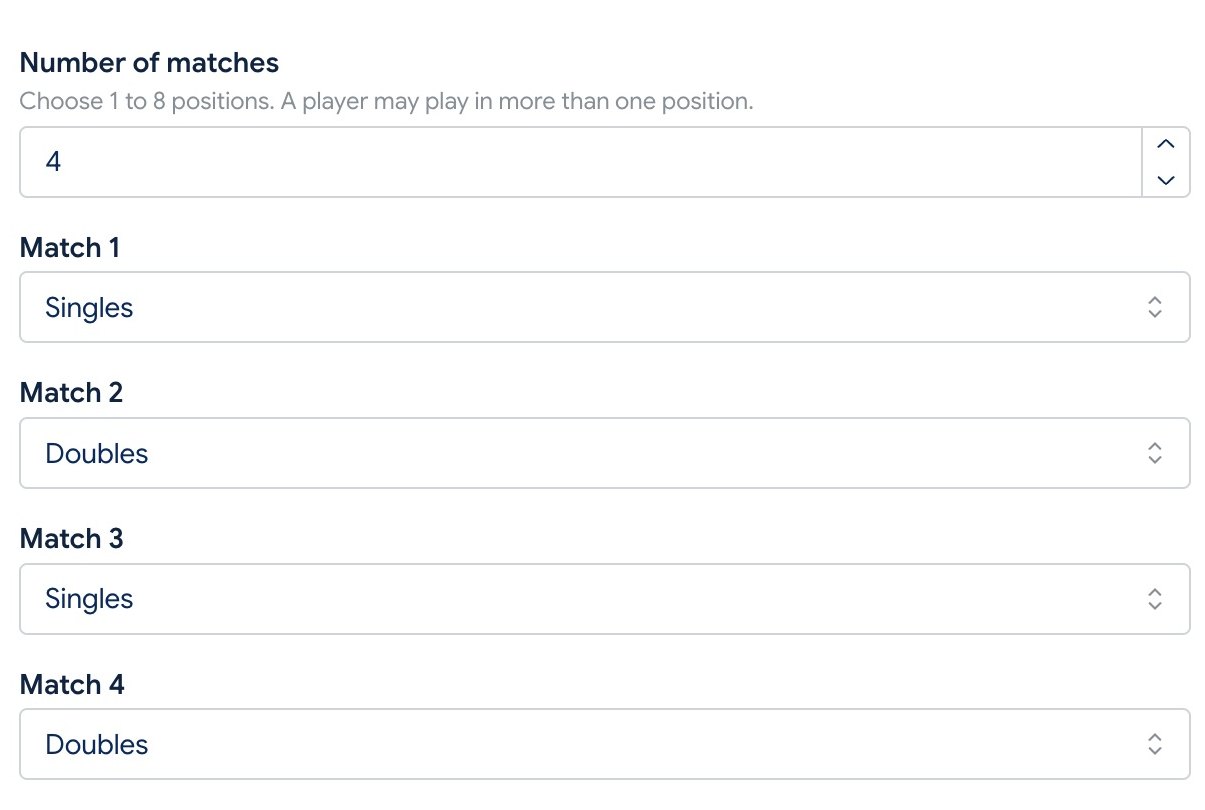
Set your own match format
Choose one to eight positions, then make each one singles or doubles in whatever order your league needs.
Build flexible lineups
Assign a player to more than one position in a pickleball match and collect a separate confirmation for each assignment.
Know who can play
Send availability requests, follow responses, and remind players who have not answered before you set the lineup.
Fill clinics and group play
Schedule events, collect RSVPs, set a capacity when needed, and keep extra players on a waitlist.
Keep the whole group updated
Share announcements, send lineup notices, and publish match recaps from the same team space.
Get started
From setup to game day in three steps.
Create your pickleball group
Choose Pickleball as the racquet sport and pick a competitive team, clinic, social group, or ladder.
Bring in players and matches
Add your roster and schedule matches with the exact singles and doubles positions you need.
Play with everyone in sync
Collect availability, publish lineups, manage events, and send updates without chasing a message thread.
Ready for a simpler season?
Give your pickleball season one home.
Start a group, invite your players, and organize the next match or event in CourtRoster.