
Tennis team management, minus the chase.
Keep your season, roster, matches, availability, lineups, and recaps in one place. Make the weekly work of running a tennis team easier for everyone.
What you can do
Everything a tennis captain needs to stay ahead.
Plan the season, learn who is available, build the lineup, and share the result without splitting the work across spreadsheets and chats.
Organize every kind of group
Run a league team, clinic, social group, or ladder with members, schedules, roles, and updates in one place.
Plan the season
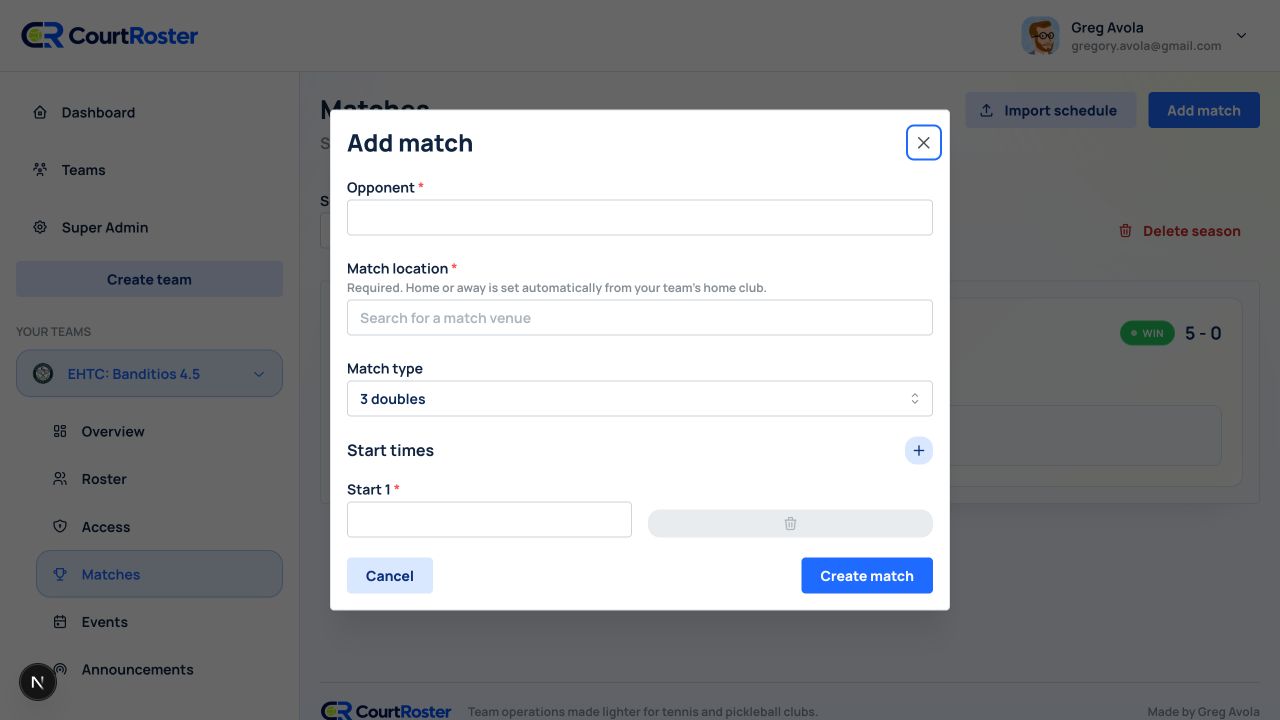
Add opponents, venues, start times, and tennis match formats to the schedule your roster can actually follow.
Collect availability
Ask for a YES or NO, see who has responded, and send reminders before you make your court assignments.
Publish lineups with confidence
Place players into singles and doubles courts, share the lineup, and let players confirm their spots.
Bring in USTA team data
Import a TennisLink schedule, roster, or completed match result when your tennis team uses USTA League exports.
Close the loop after play
Record scores, publish a match recap, and send it to the roster. Schedule team events and announcements too.
Get started
From setup to game day in three steps.
Set up your tennis team
Create a competitive team or another group type, choose Tennis, and bring your players into the roster.
Build the season schedule
Add matches one by one or import USTA League data when it is available for your team.
Keep match day moving
Gather availability, publish court assignments, collect confirmations, and share the recap.
Ready for a simpler season?
Make the next tennis season easier to run.
Bring your team into CourtRoster and give every match, player, and update a clear place to live.