CourtRoster logoOpen CourtRoster
All guides
Announcements

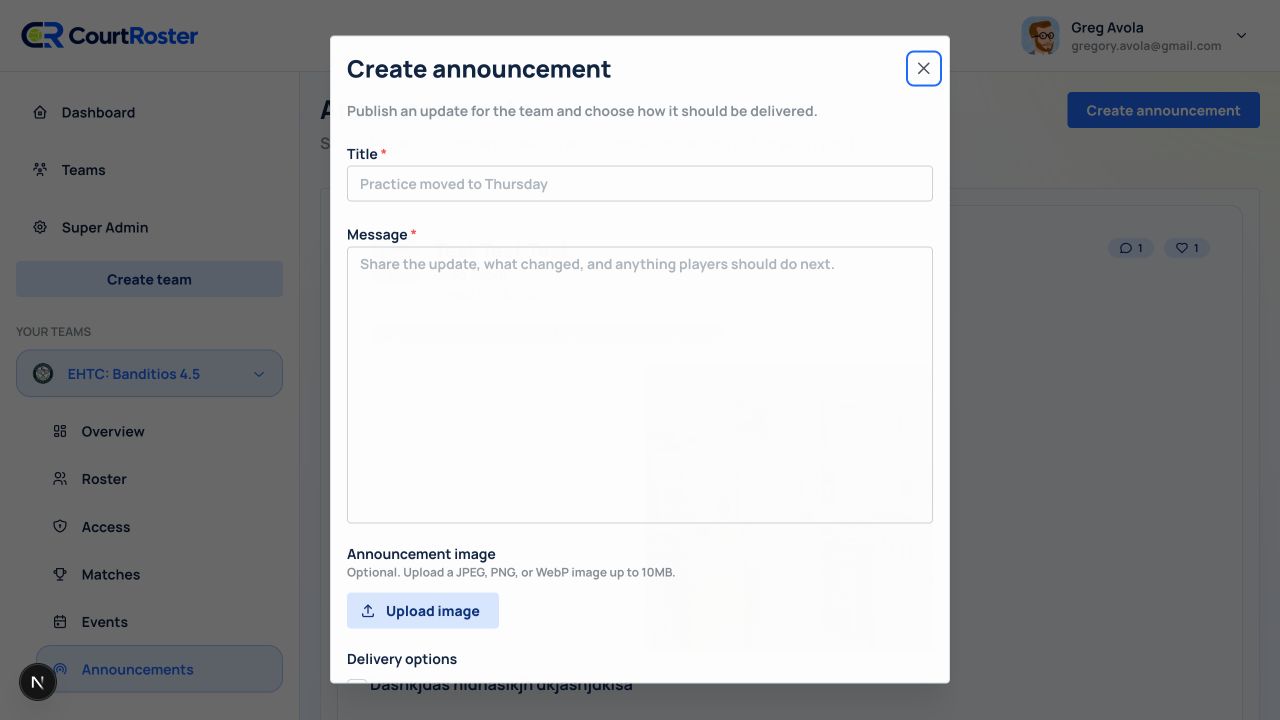
Create announcements

Post an update in the team feed and optionally notify members through one or more delivery channels.

5 min read

Team admin or captain

In this guide

1. Choose team-wide or match-specific2. Write and deliver the announcement3. Example announcement
1

Choose team-wide or match-specific

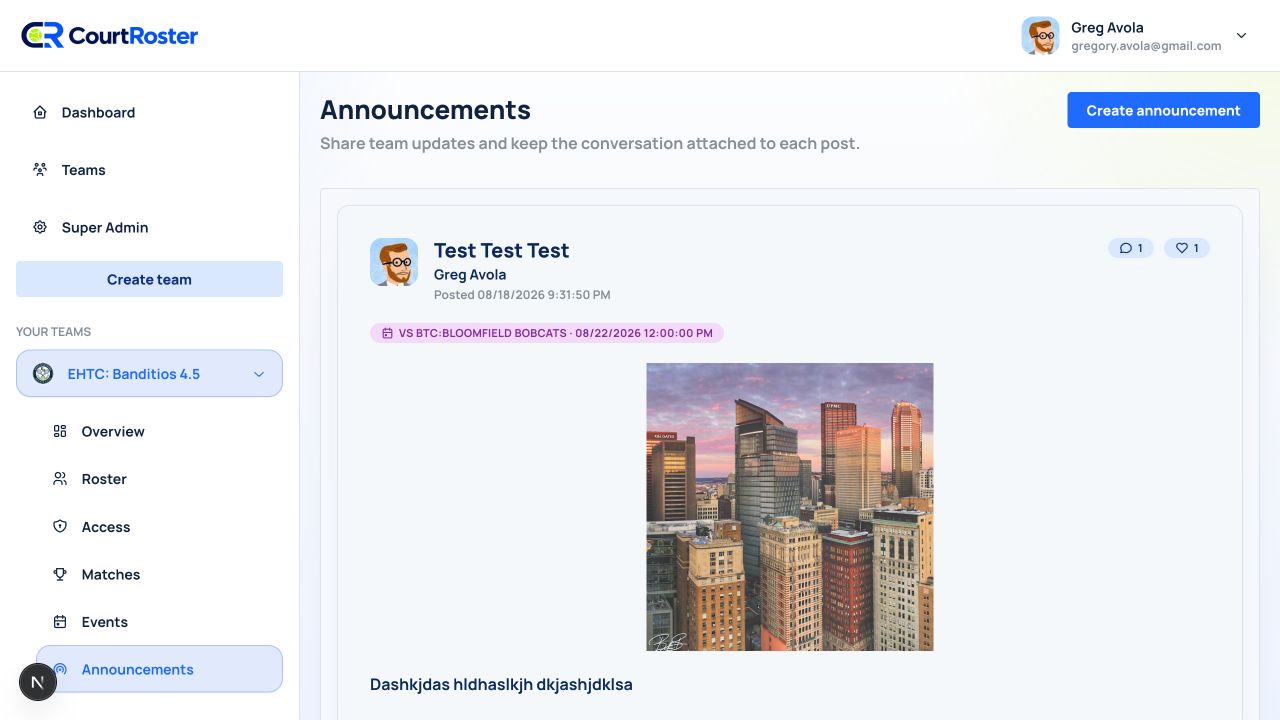
  1. For a general update, select your team and then Announcements.
  2. For a match-specific update, open the match and select Announcements in the match tabs.
  3. Select Create announcement or Send announcement.
app.courtroster.com
CourtRosterGA
DashboardTeamsHudson AcesOverviewRosterAccessMatchesEventsAnnouncements

Announcements

Share team updates and keep the conversation together.

Create announcement
TEAM UPDATE

Practice moved to Thursday

Tuesday’s practice is moving to Thursday at 6:30 PM.

Posted by Greg · 10 minutes ago
Use the team page for news that applies beyond one match.Illustrated from the current CourtRoster interface

Helpful tip

Match announcements stay attached to the match. If a lineup exists, you can deliver only to assigned lineup players.

2

Write and deliver the announcement

  1. Enter a concise Title that explains the change or action needed.
  2. Write the Message with what changed, when it takes effect, and what players should do next.
  3. Optionally add one image.
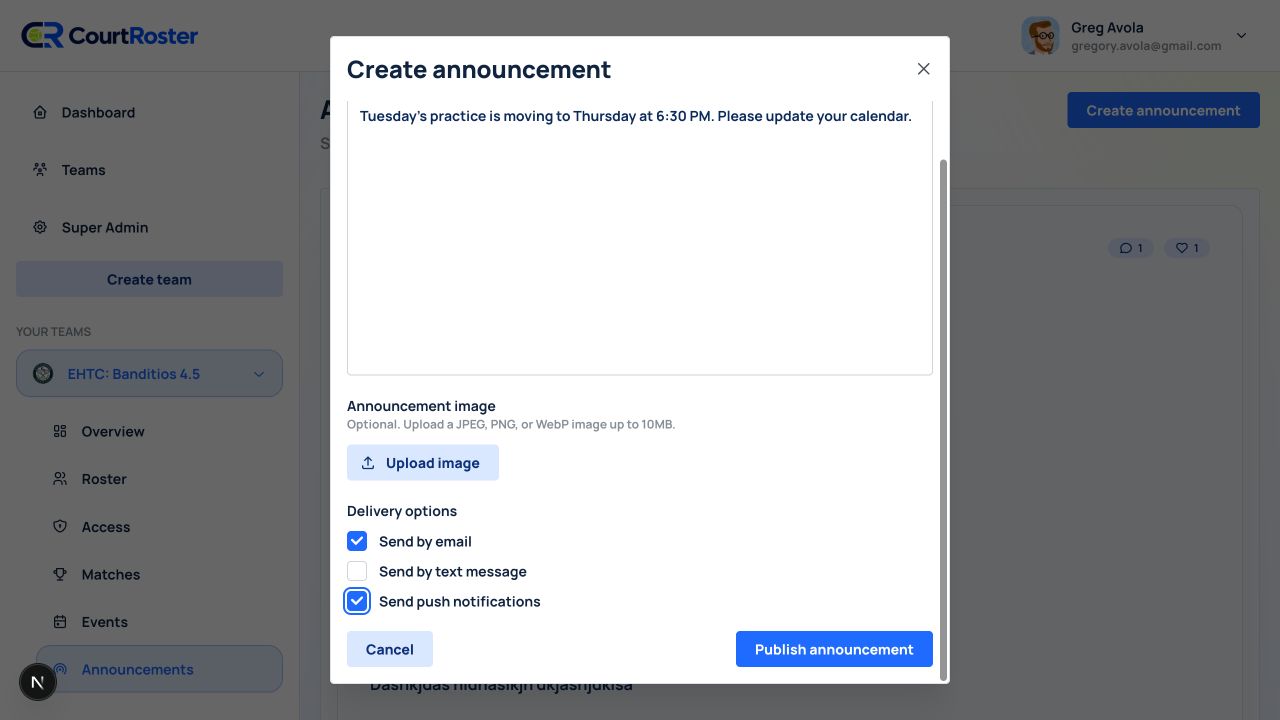
  4. Choose Send by email, Send by text message, and/or Send push notifications. You may leave all unchecked to publish only in CourtRoster.
  5. For a match announcement with a lineup, optionally choose Send only to lineup players.
  6. Select Publish announcement.
app.courtroster.com
CourtRosterGA
DashboardTeamsHudson AcesOverviewRosterAccessMatchesEventsAnnouncements
Create announcement×
TitlePractice moved to Thursday
MessageTuesday’s practice is moving to Thursday at 6:30 PM. Please update your calendar.
Delivery options
CancelPublish announcement
Example of a schedule change delivered by email and push.Illustrated from the current CourtRoster interface

Before you continue

Publishing is immediate. Review dates, times, and the selected delivery channels before you publish.

3

Example announcement

Title: Practice moved to Thursday

  1. Message: Tuesday’s practice is moving to Thursday, May 14 at 6:30 PM because the courts are unavailable. Please update your calendar. Reply in the comments if you cannot attend.
  2. Delivery: Email and push notifications.
Keep going

Related guides

Send availability

Send a match availability request, preview delivery coverage, and configure reminders.

Create and send a recap

Complete a match, record court results, publish the recap, and send it to the roster.

Edit a team

Update a team name, image, description, home location, or visibility.

CourtRoster logo

Tennis and pickleball team management with a cleaner workflow for captains, clubs, and every player on the roster.

Navigation

HomeAboutHelp CenterSupportPrivacy PolicyTerms of Use

Download

App StoreGoogle Play

Download CourtRoster on iPhone and Android.