
CourtRoster logoOpen CourtRoster
All guides
Teams

Edit a team

Keep the team profile accurate when the name, club, image, description, or access level changes.

3 min read

Team admin or captain

In this guide

1. Open the team overview2. Update and save
1

Open the team overview

  1. Select the team in the left navigation.
  2. Select Overview if another team section is open.
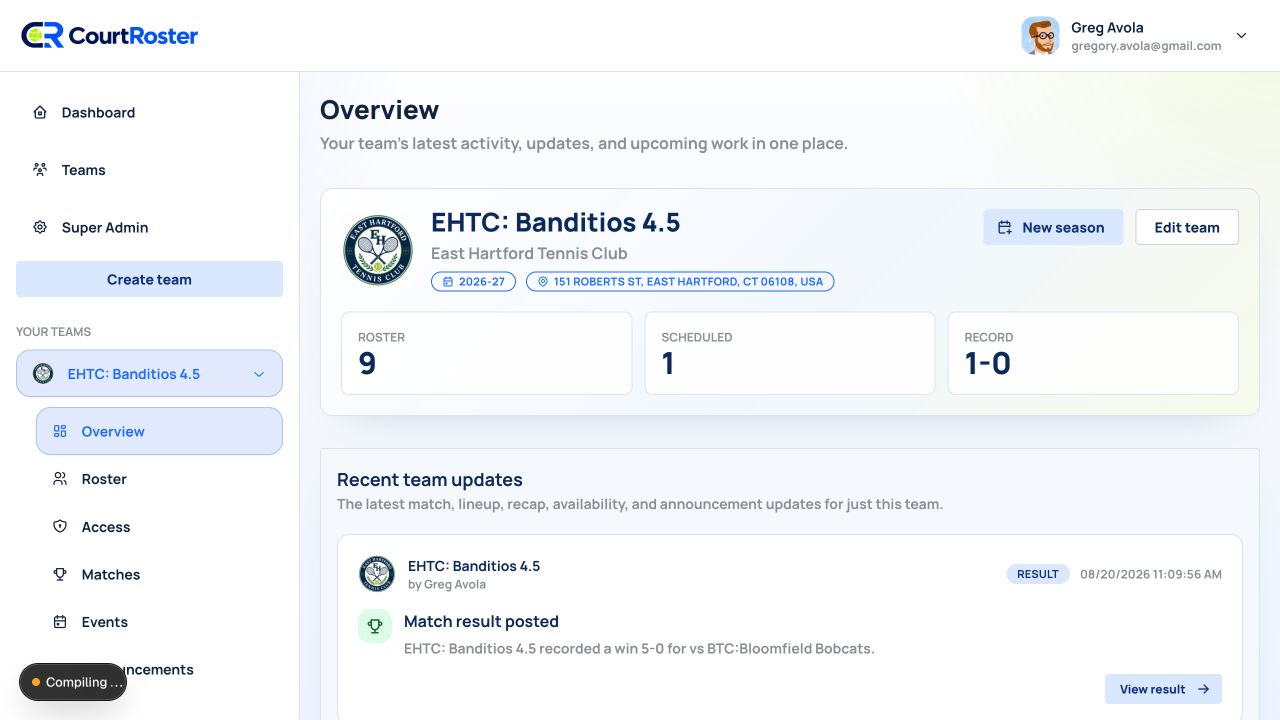
  3. In the team banner, select Edit team. This button is shown only to team admins and captains.
app.courtroster.com
CourtRosterGA
DashboardTeamsHudson AcesOverviewRosterAccessMatchesEventsAnnouncements

Overview

Your team’s latest activity and upcoming work.

HA

Hudson Aces

Riverside Tennis Club

Spring 2026
New seasonEdit team
ROSTER12
SCHEDULED8
RECORD4–2
Edit team is in the upper-right of the team banner.Illustrated from the current CourtRoster interface
2

Update and save

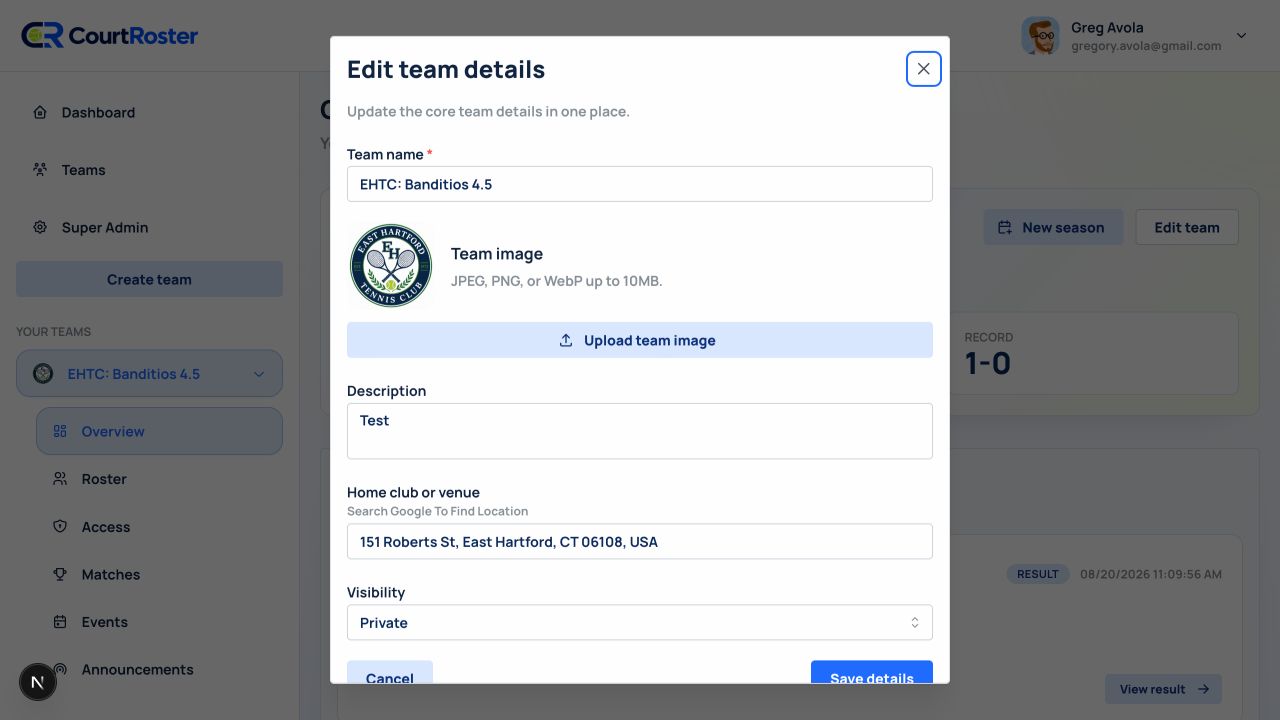
  1. Change the Team name, Description, team image, home location, or Visibility.
  2. For a location change, select the new club from the Google Places results instead of leaving unselected text in the field.
  3. Select Save details. A Team updated message confirms the change.
app.courtroster.com
CourtRosterGA
DashboardTeamsHudson AcesOverviewRosterAccessMatchesEventsAnnouncements
Create team×

Set up the core team details here.

Team nameHudson Aces 4.0
SeasonSpring 2026
DescriptionWeeknight league team
Home club or locationRiverside Tennis Club ✓
VisibilityPrivate
CancelCreate team
The edit dialog uses the same core fields as team creation.Illustrated from the current CourtRoster interface

Helpful tip

Changing the team profile does not remove roster members or past matches.

Before you continue

Season is not changed in this dialog. Use New season on the team overview when a new season begins.

Keep going

Related guides

Add a team

Create a CourtRoster team, choose its visibility, and set the season and home location.

Add matches

Schedule an opponent, venue, match format, and one or more start times.

Create announcements

Publish a team or match announcement and choose email, text, and push delivery.

CourtRoster logo

Tennis and pickleball team management with a cleaner workflow for captains, clubs, and every player on the roster.

Navigation

HomeAboutHelp CenterSupportPrivacy PolicyTerms of Use

Download

App StoreGoogle Play

Download CourtRoster on iPhone and Android.