
1
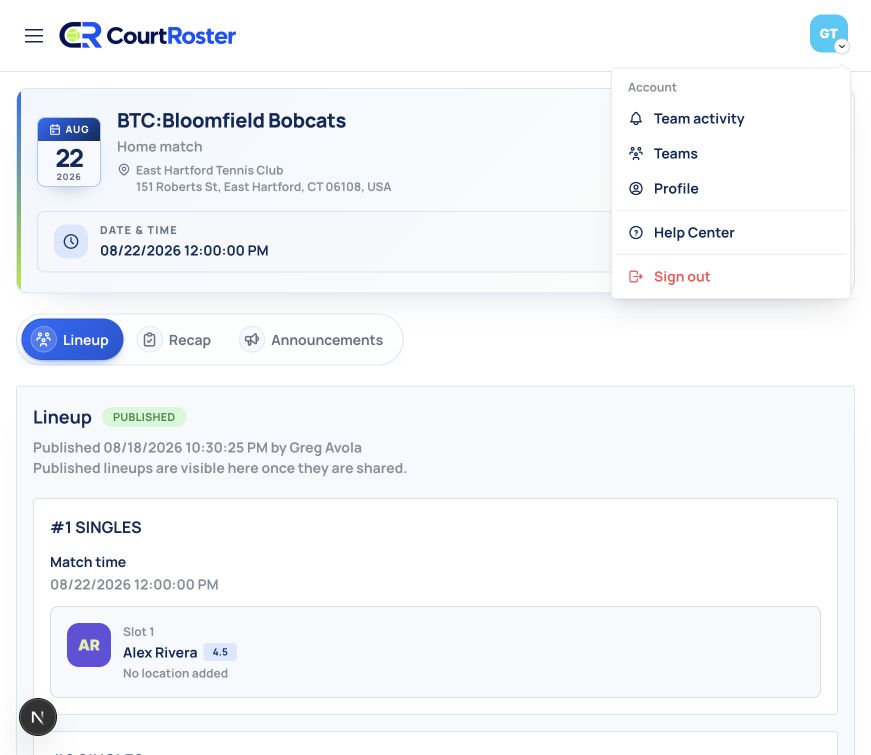
Open Profile
- Open the account menu from your avatar in the upper-right corner.
- Select Profile.
2
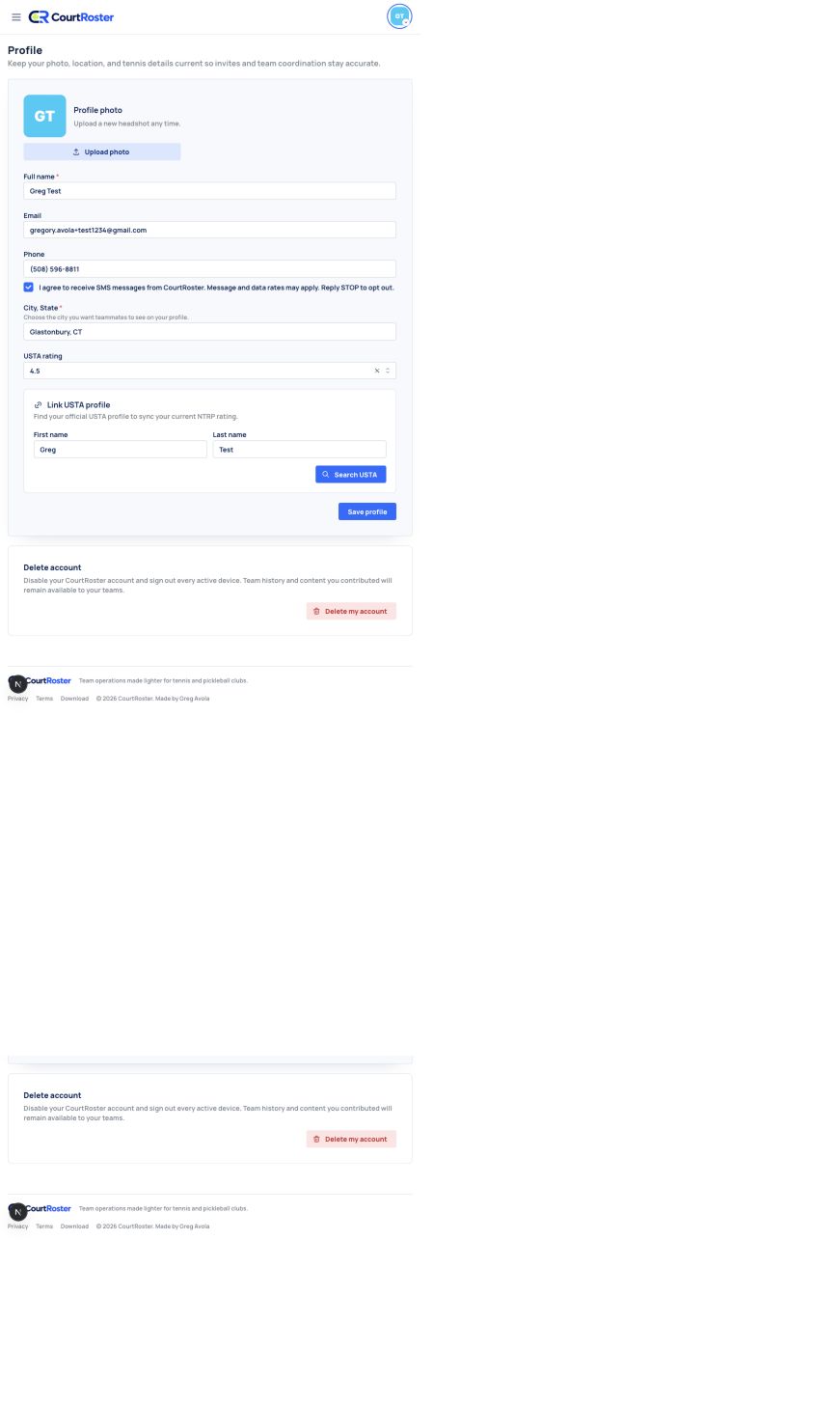
Update your player details
- Upload a profile photo and confirm your full name.
- Add a valid phone number and select the SMS consent checkbox if you want text-message updates.
- Choose your city from the location suggestions and update your USTA rating when needed.
- Select Save profile.
Helpful tip
Email is tied to your CourtRoster account and is displayed as read-only on the Profile page.
3
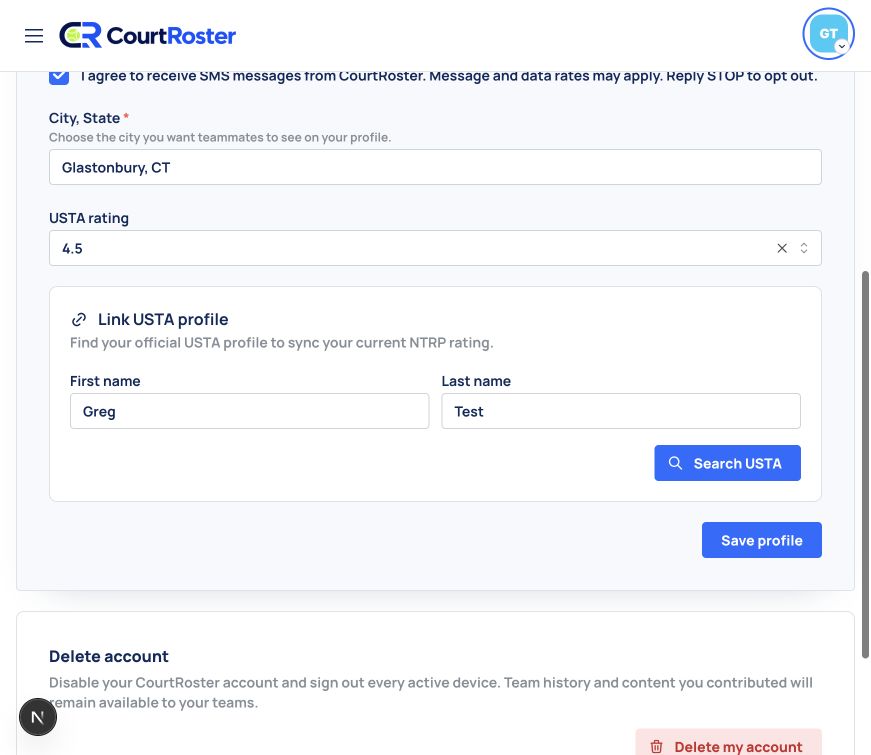
Link your USTA profile
- Scroll to Link USTA profile.
- Confirm the first and last name used for your USTA record.
- Select Search USTA and choose the correct result.
- Save your profile after linking so CourtRoster can use the synchronized rating.
Before you continue
Only link a USTA result when the name and profile details match you.